Cyclope Field guide

Observatory control for macOS

One window between you
and the sky.

Cyclope drives the mount, the camera and the focus from a single application: alignment, pointing, tracking, planning, capture and the finished picture. It is built for the amateur with one telescope in the garden, not for a dome on a mountain.

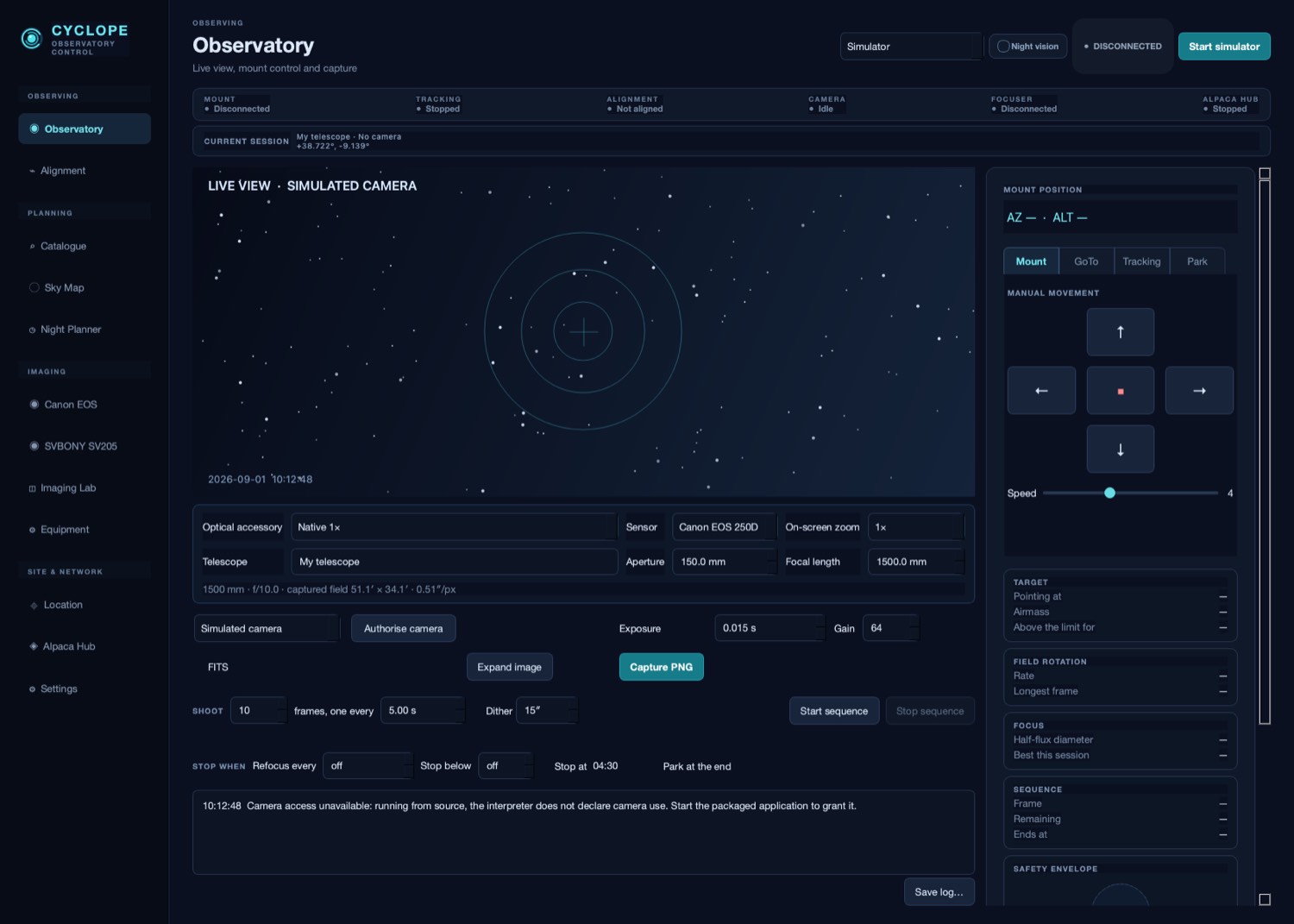
The Cyclope Observatory page: live view, mount controls and the instrument rail
The Observatory page — live view, mount control, and the readings that matter while a session runs.

Unattended

The night runs itself, and stops for the right reasons.

Set the frames and the interval and Cyclope tells you, before anything starts, what the run will do: how long it takes, what hour it finishes, how much disk it writes.

Then it watches the conditions you set. Stop when the target sinks too low. Stop at an hour. Refocus every so many frames. Park the mount at the end, however the end comes. Each of those is written down with its reason, because nobody was there to see it.

With a hand focuser, a refocus does not fail and does not carry on regardless: the run pauses, says what fell due, and waits until you have turned the knob.

Alignment and pointing

Point it once. Or let it point itself.

A mount knows where it thinks it is pointing. A pointing model is what closes the gap between that and the sky. Cyclope builds one from two or three stars and shows you the error it is correcting, so you can see whether the model is any good rather than hoping.

Auto Align builds it for you. Press it and Cyclope chooses a bright field inside the limits you set, points at it, waits for the tube to settle, photographs it and works out exactly where the telescope is looking — then moves to another part of the sky and does it again, until the model stands. You need not identify a single star.

It asks before the first movement and names the field it is going to, because it knows your altitude and azimuth limits but not the wall, the tree or the cable in your garden. One button stops it where it stands. And it will not record a reference it is unsure of: a field that disagrees with the model is left for you to judge rather than quietly accepted while you are indoors.

Rather do it yourself? The guided workflow is still there: point at any star-rich field, photograph it, look at what Cyclope proposes, accept it. Either way the same solving centres a target properly afterwards — the object ends up where you meant it, not near enough.
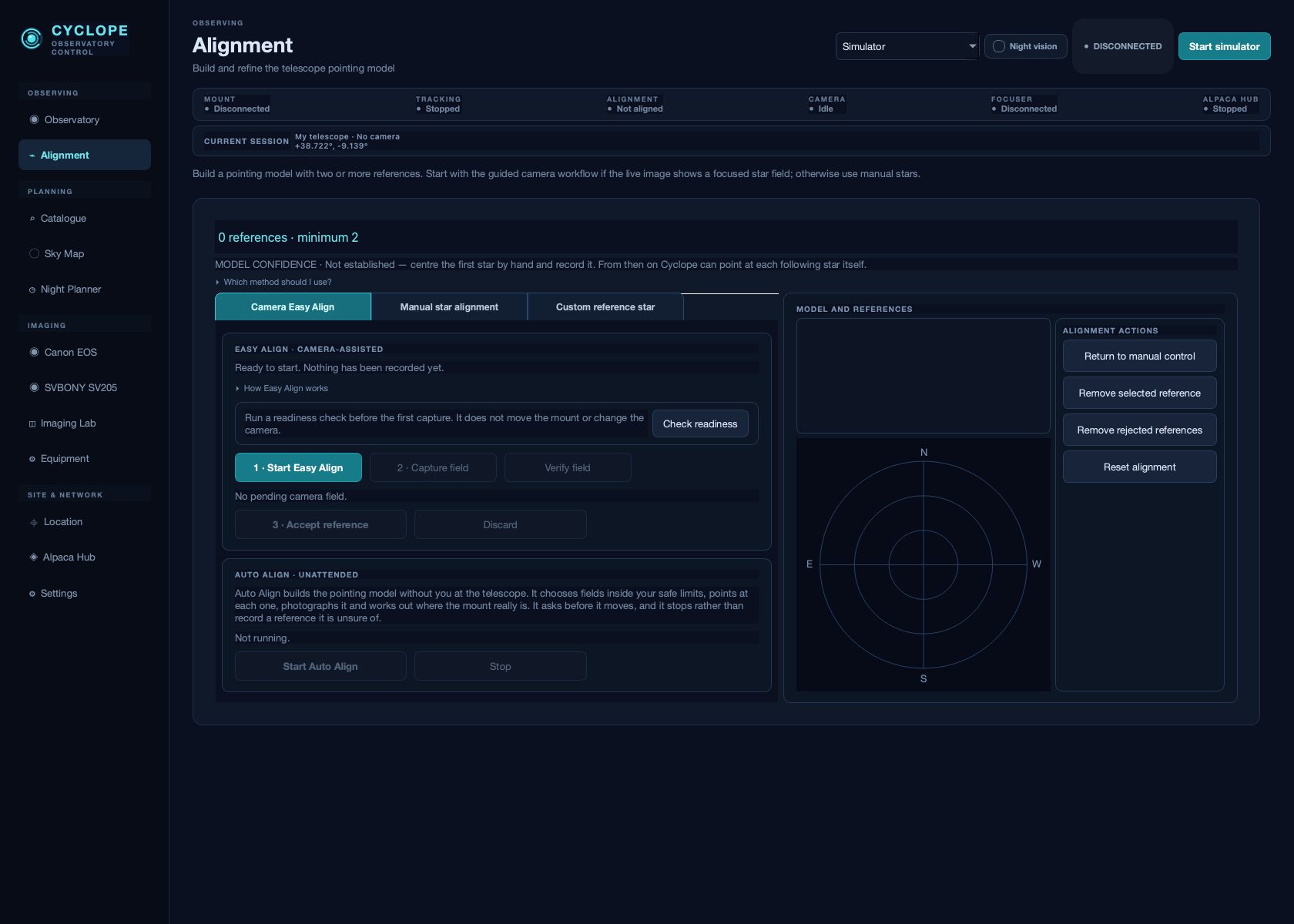
The Alignment page, building a pointing model from recorded references
The guided workflow, with Auto Align beneath it and the model's own error in view.

Field rotation

It knows what your mount is doing to the picture.

An alt-azimuth mount — the kind most amateurs own — turns the sky slowly inside the frame while it tracks. Nothing warns you: the stars simply come out as short arcs, worse at the corners, worse the higher you point.

Cyclope computes that rate for where the telescope is aimed and tells you the longest single frame it allows. The result surprises people, because the traditional advice — photograph an object when it is highest — is exactly wrong on this kind of mount.

Target at its highestAltitudeLongest frame
Andromeda Galaxy87°0.3 s
Ring Nebula84°0.8 s
Dumbbell Nebula74°2.0 s
Orion Nebula46°5.1 s
Hercules Cluster63°31 s

Worked for a 150 mm telescope and a full-frame-format DSLR sensor at a northern-Mediterranean latitude. Your own numbers appear in the application.

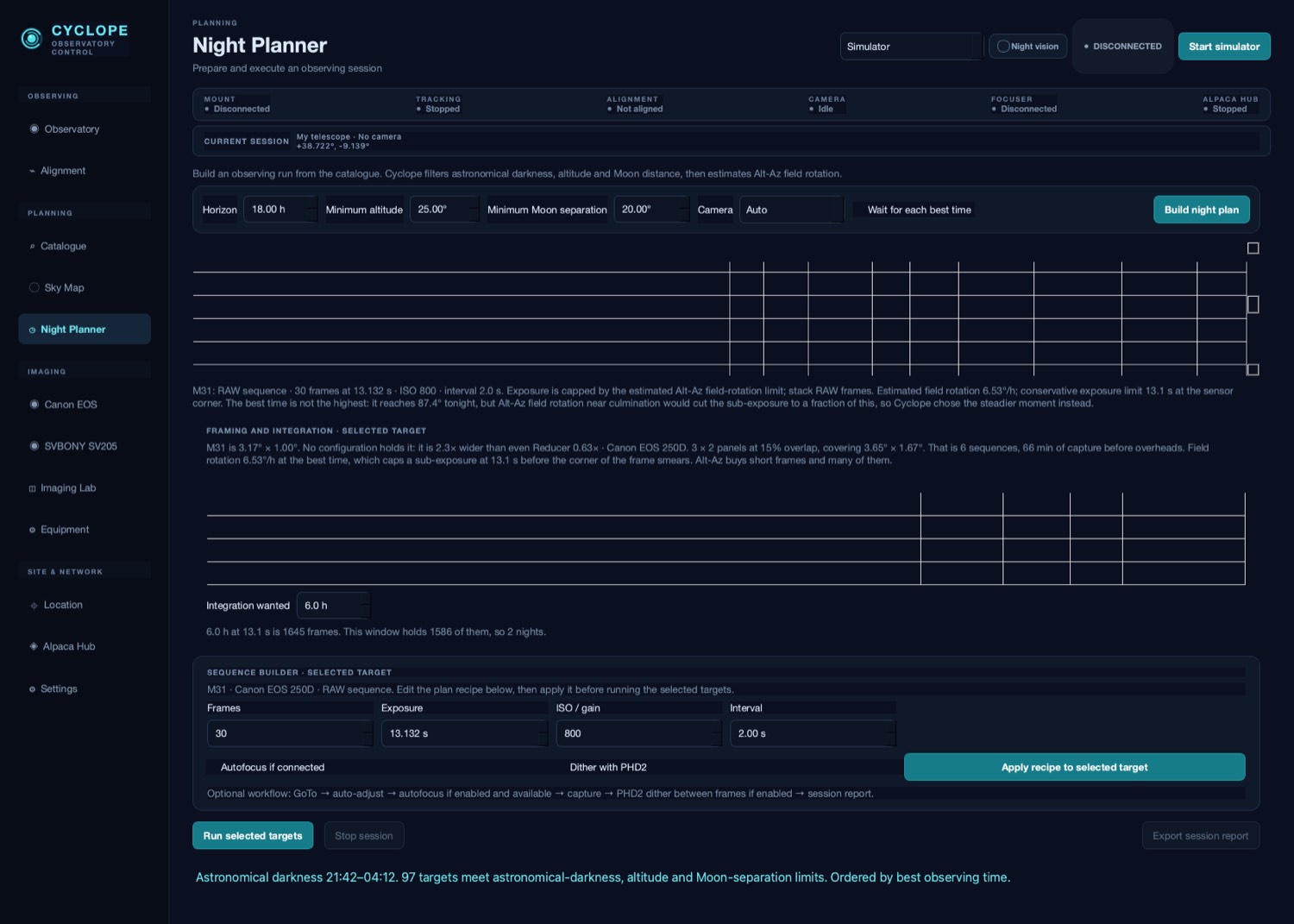
The Night Planner, showing targets, altitude windows and framing
The Night Planner puts the night in order before you go outside.

Focus

A number, not a squint.

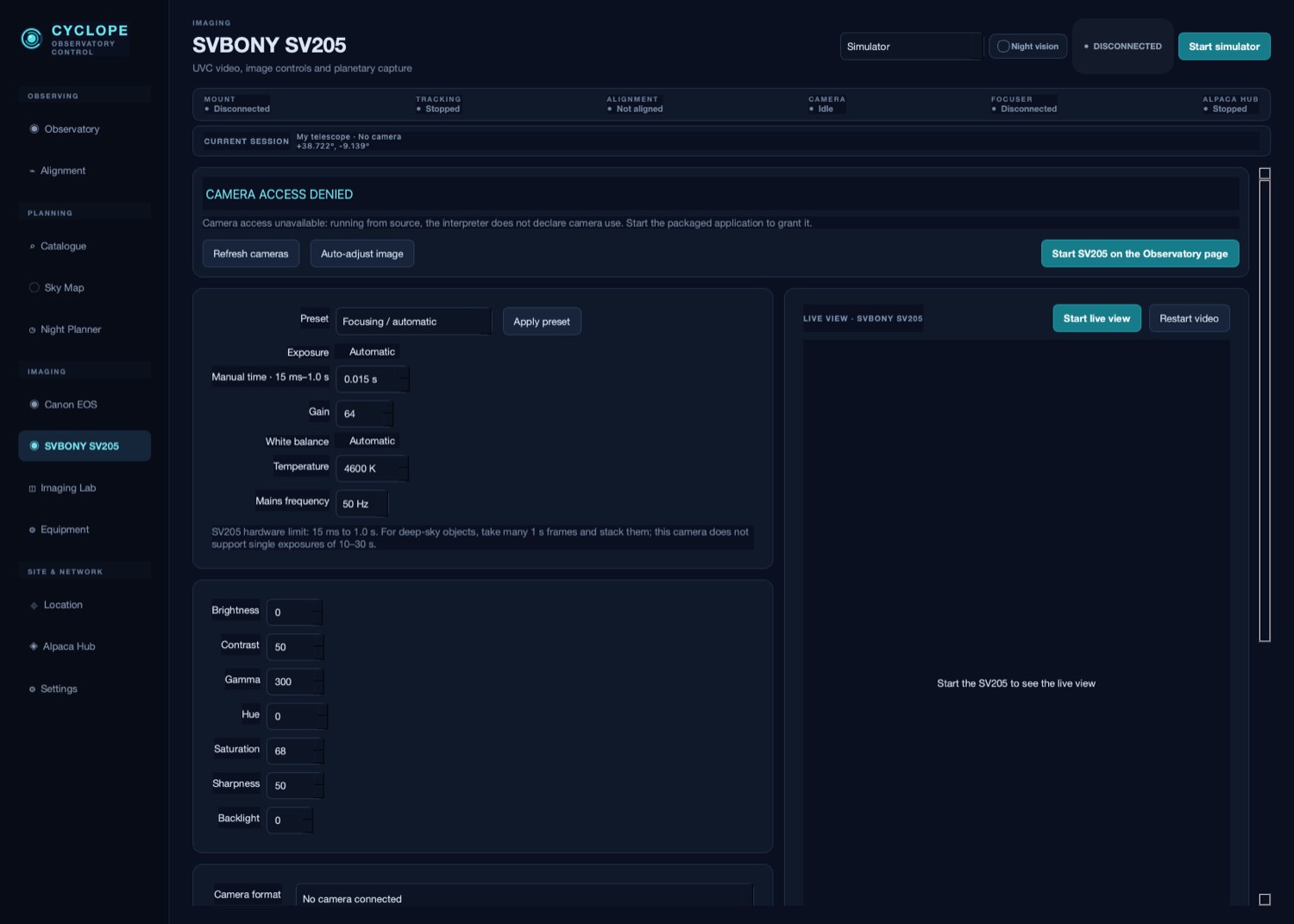
Focusing a telescope by eye is guesswork: at a typical focal ratio the whole range that counts as sharp is under a twentieth of a millimetre of travel. Cyclope measures the width of a star on the live view and gives you one figure to minimise, with a word on which way to turn.

It reads a Bahtinov mask too, which is the surer method with a hand focuser: bring the offset to zero and the guessing stops. And it says the thing every beginner learns the hard way — focus on a bright star, never on the faint object you came to photograph.

A camera page with live view and the focus assistant
Both camera pages carry the same live view and the same focus assistant.

Safety

It refuses.

Every command to the mount passes through the same set of limits, and a command that would break one does not reach the telescope. This is not a warning dialogue you learn to dismiss.

The limits are drawn on screen as the sky they describe, so the fence is visible before anyone walks into it.

After the shutter

From a pile of frames to a picture.

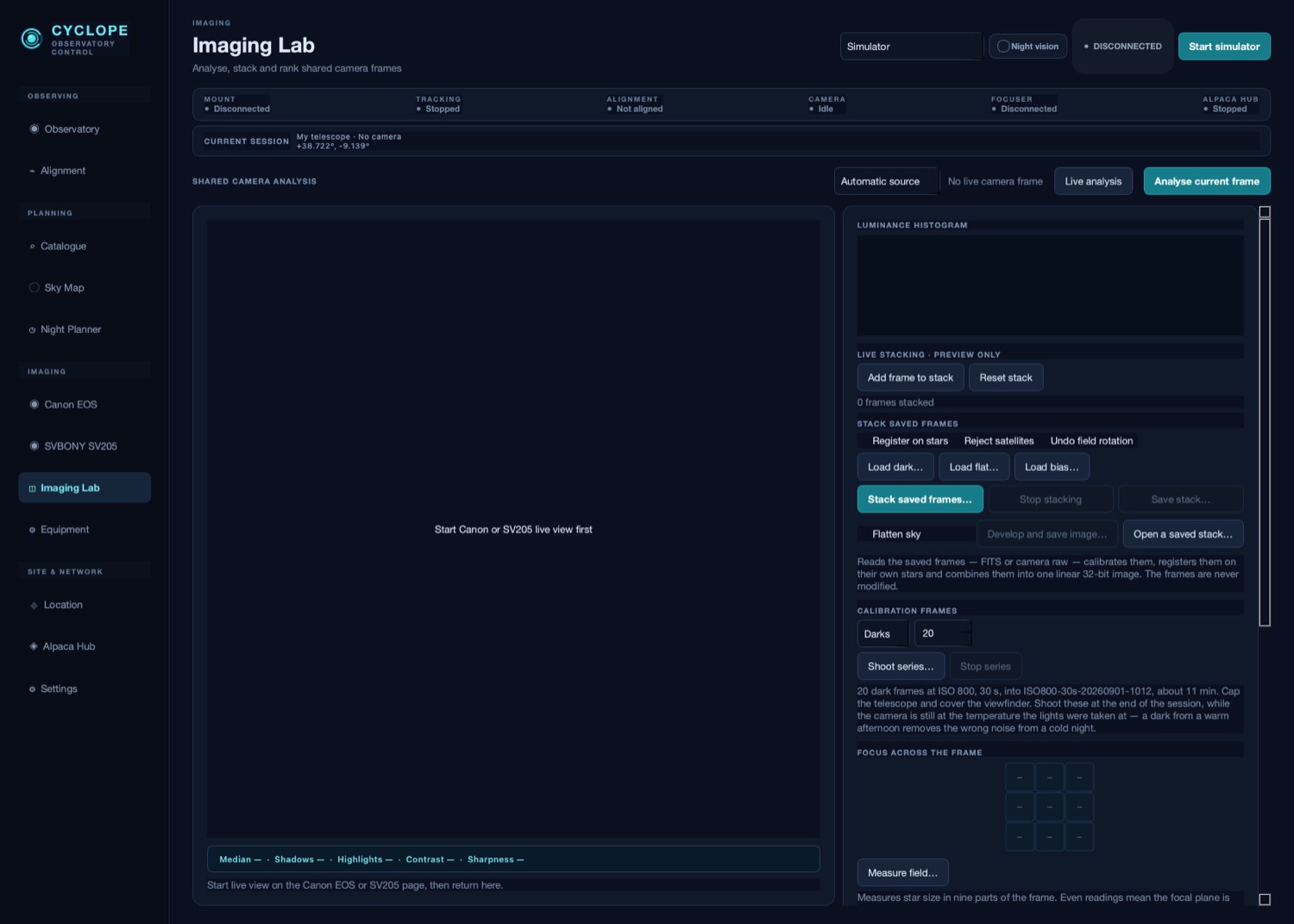
Cyclope keeps what it captured — every frame with the conditions it was taken under — then aligns and stacks them, discarding the aeroplane that crossed frame forty. On an alt-azimuth mount it turns each frame back to match the first, which is what makes short exposures on such a mount add up at all.

Colour, background gradient and contrast are brought out afterwards, and for the Moon and planets it keeps only the sharpest moments of a burst — the fraction of a second when the air happened to be still.

The Imaging Lab, with histogram, measurements and frame selection
Measurements, frame ranking and stacking, on the frames you took tonight.

Finding things

What is up, and whether tonight is the night for it.

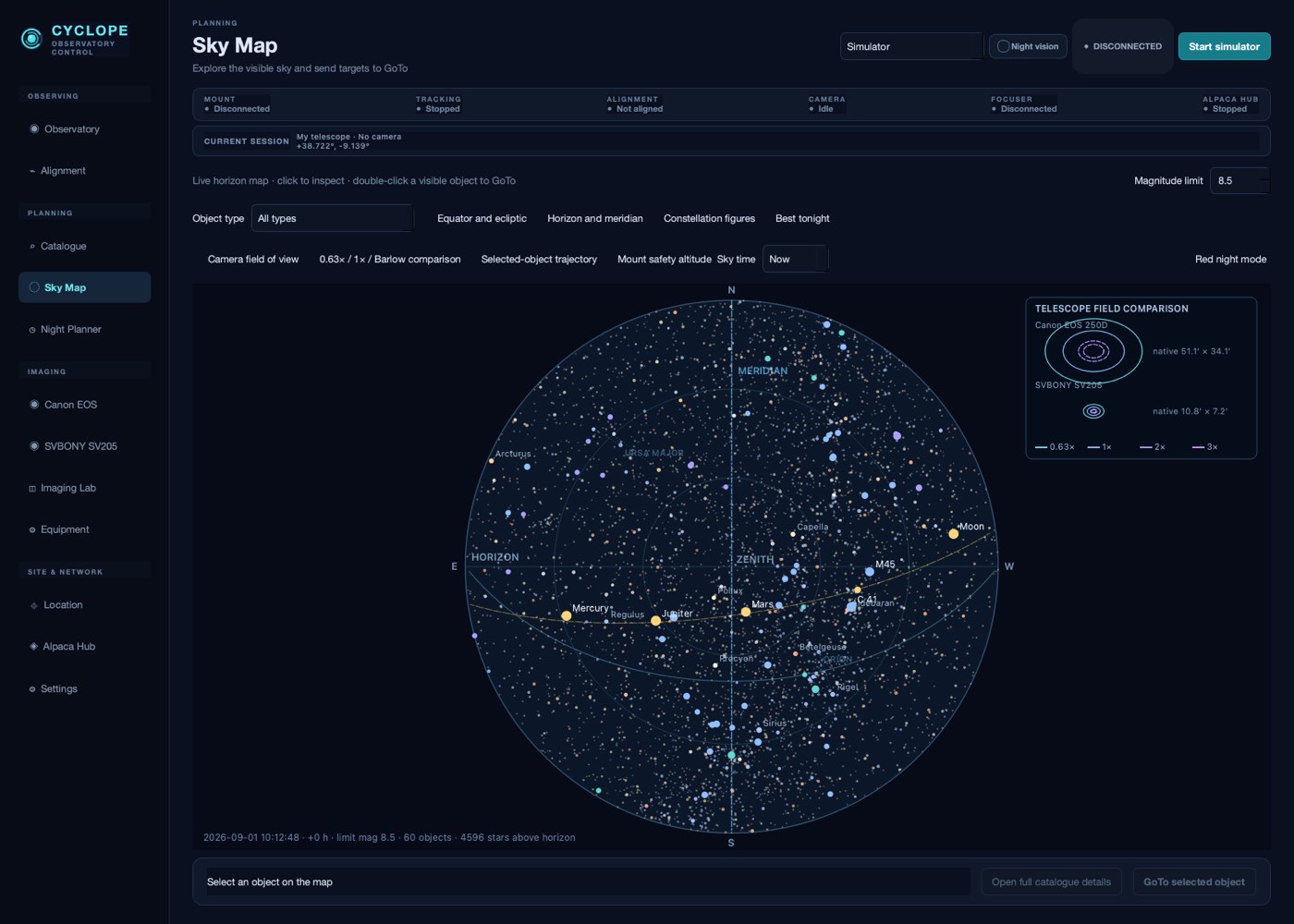
Messier and Caldwell in full, each with what it takes to photograph it and how it will sit on your sensor. The sky map shows the visible sky with the telescope on it, so you can see where you are pointing rather than reading two numbers.

The planner ranks what is up tonight from where you are: how high each object climbs, when it is best placed, how long the window lasts, and how dark the sky will be while it is open.

The sky map, showing the visible sky with the telescope position
The visible sky, with the telescope on it.

In one application

What would otherwise be five programs.

Alignment and pointing

Build the model from two or three stars yourself — or press Auto Align and let Cyclope choose the fields, point at them and build it.

A catalogue worth browsing

Messier and Caldwell in full, with what each object needs and whether tonight suits it.

Plate solving

Photograph the field, find out exactly where the telescope is looking, and centre the target properly.

Framing and mosaics

See how the object sits on your sensor before you spend the night on it.

Calibration frames

Darks, flats and bias captured in order, named and filed, without a spreadsheet.

An operating manual

A hundred-odd pages written for someone standing in the dark, included with the application.

Your equipment, your files

It keeps what you photographed, in formats you can leave with.

Every capture writes the image and a record beside it of everything Cyclope knew at that moment — the exposure, the gain, where the telescope was pointing, the conditions, the site. Frames are written as FITS, which every astronomical program reads, alongside the camera's own raw files.

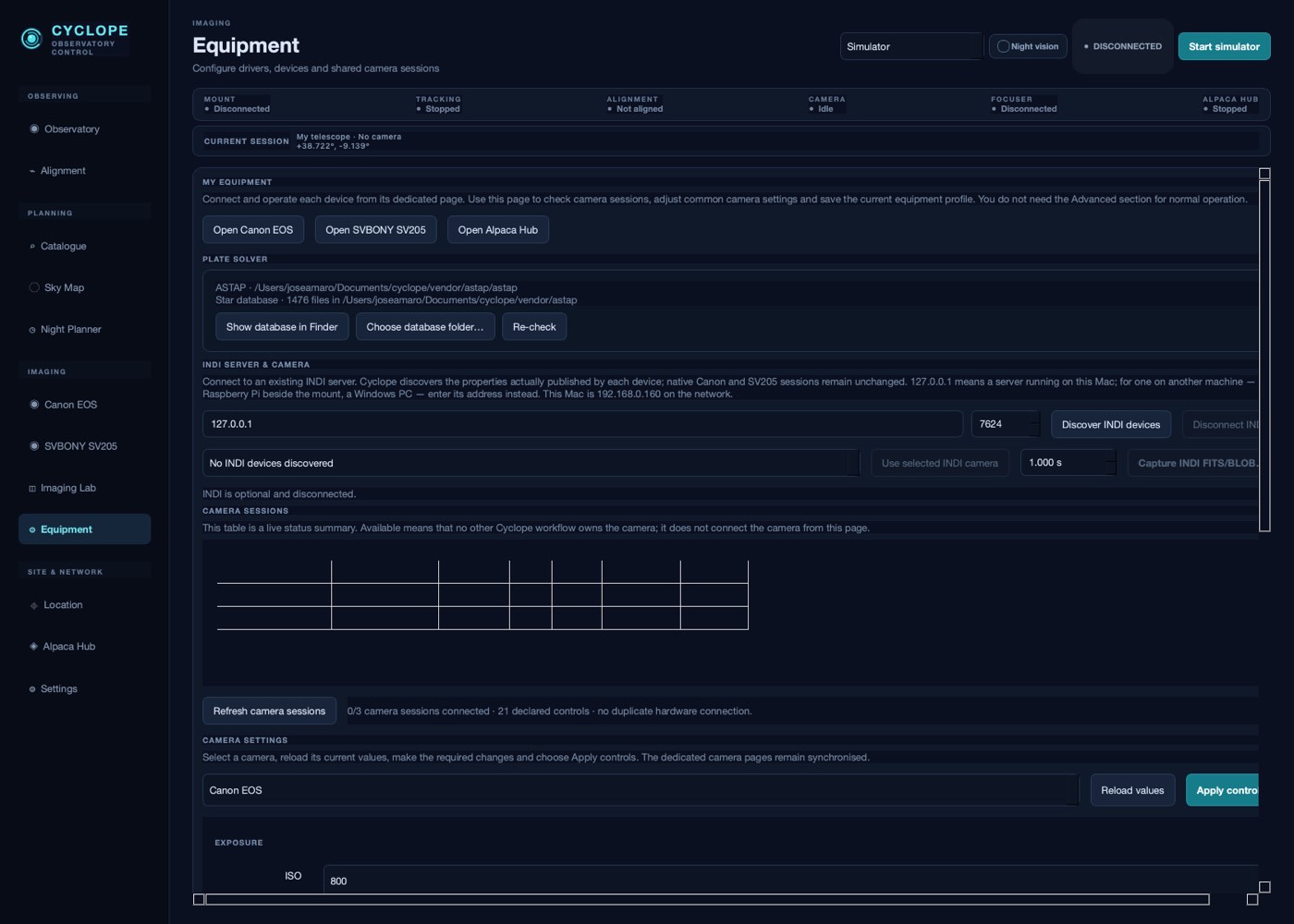
Equipment is described once and remembered: which mount, which camera, which optics, what the safe limits are. Profiles can be exported and carried to another Mac, and Cyclope can share the devices it drives with other astronomy software on the same network.

Nothing is uploaded anywhere. Cyclope runs on your Mac and writes to your disk.

The Equipment page, showing drivers, devices and saved profiles
Equipment described once: drivers, devices, optics and limits.

Compatibility

Speaks to what you already own.

Mounts

  • Celestron NexStar
  • Meade LX200
  • ASCOM Alpaca
  • INDI
  • Alt-azimuth and equatorial

Cameras

  • Canon EOS
  • SVBONY SV205
  • Any USB video camera
  • ASCOM Alpaca and INDI

Alongside

  • PHD2 guiding and dithering
  • ASTAP and Astrometry.net
  • Motorised focusers
  • Shares its own devices on the network

Requires

  • A Mac
  • A telescope you can already point
  • Patience with the weather

What it needs

Requirements.

Operating systemmacOS 12 or later
ProcessorApple silicon or Intel
Installed sizeabout 1.2 GB
Internetnot required to observe
Camera connectionUSB, direct to the Mac
Mount connectionserial, or over the network

Plate solving is included, and its star catalogue is a large separate download — Cyclope tells you which part is missing rather than simply failing to solve.

Being straight with you

What it does not do.

  • Windows and Linux. Cyclope is a Mac application. Nothing else is planned yet.
  • Domes, roofs and weather stations. It drives a telescope and a camera, not an observatory building.
  • Guiding of its own. It works alongside PHD2 rather than replacing it.
  • Miracles on an alt-azimuth mount. It tells you the truth about field rotation and makes the best of it. It cannot remove it.

Enquiries

Not on sale yet. Worth asking about.

Cyclope is being prepared for release. If you run a telescope from a Mac and this looks like the evening you wish you had, write and say what you observe with — that is exactly what decides what gets finished first.

Read the field guide